
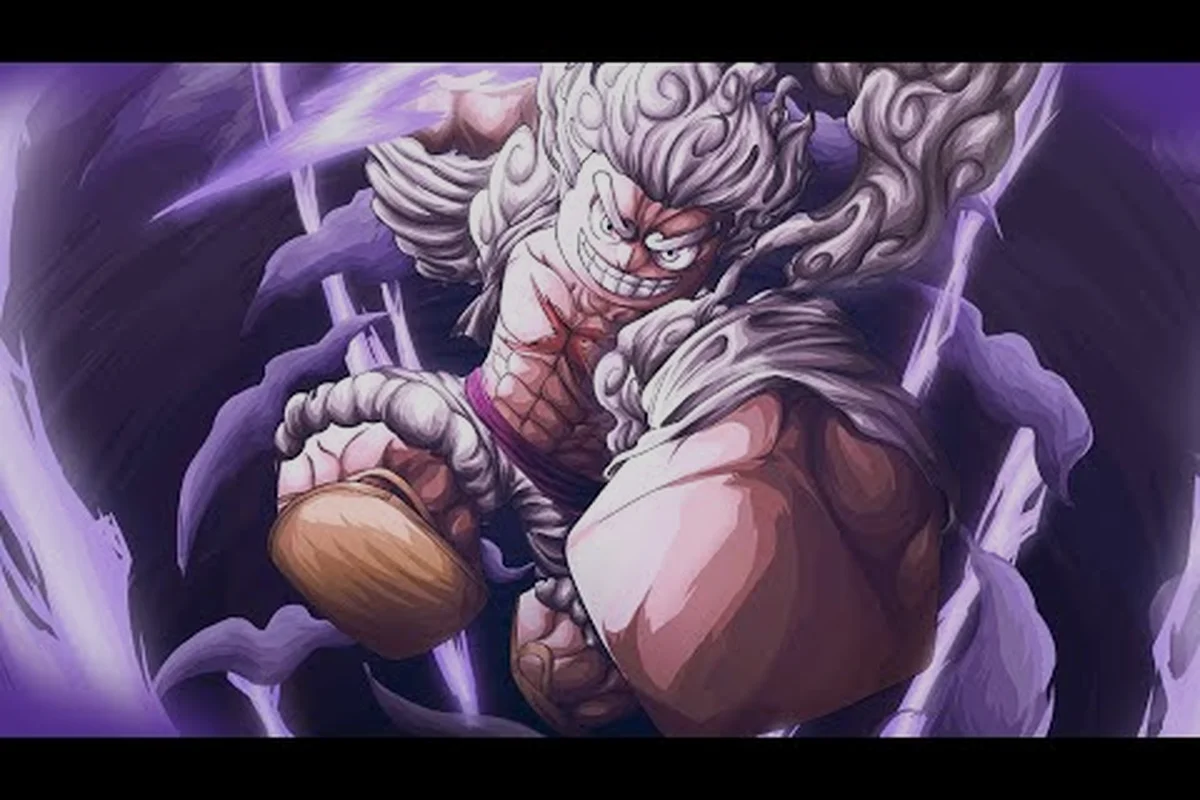
Dropping into Grand Piece Online for the first time can feel like being thrown overboard — there are seas to sail, fruits to hunt, fighting styles to learn, and a level cap that climbs with every patch. Knowing what to do first turns that chaos into a clear path, and the right opening moves save dozens of wasted hours. This grand piece online what to do first walkthrough covers controls on every platform, the earliest milestones that matter, and the small habits that separate captains who hit the end-game seas from those still stuck wondering why their boat refuses to move.
Setting Up Your First Session on PC, Mobile, and Console
Before chasing Devil Fruits or racing toward the Second Sea, every new player needs to lock down the platform they are playing on. The Roblox client powers PC and mobile, while console players access Grand Piece Online through their respective Roblox app builds, and each input scheme has quirks that change how the early game feels. Treat this opening hour like a tutorial you are giving yourself — rebind the keys, walk the dock, and learn to swing a sword before you ever set sail.
Grand Piece Online Controls Guide for PC
The PC control scheme is the most flexible because every action can be rebound through the in-game settings menu. Mouse-and-keyboard players get a direct mapping for movement, combat, blocking, dashing, and the all-important fruit activation slot, which is the single biggest lever for damage output in your first ten hours.
| Action | Default Key | Notes for Beginners |
|---|---|---|
| Move | WASD | Standard; rebind to arrow keys if you prefer |
| Basic Attack | Left Click | Combo timing matters even at Level 1 |
| Block | Right Click | Hold to reduce incoming damage by ~50% |
| Dash | Q or Space | Doubles as a damage cancel in many fights |
| Fruit Ability | E | The key that scales hardest with practice |
| Inventory | Tab | Open early to inspect your first sword drop |
Spend five minutes on this screen before leaving the starter island. According to the official Grand Piece Online page on Roblox, combat in the game blends fighting styles with Devil Fruit abilities, so mapping your fruit ability to a key your fingers can find without looking is one of the highest-value habits a new player can build.
Grand Piece Online Mobile Guide Touch Layout
Mobile players tap into Grand Piece Online through the Roblox mobile client, which paints the entire control scheme onto the right side of the screen. The default overlay is functional but crowded, so the first thing any mobile captain should do is open the settings and resize the on-screen joystick and ability buttons until they sit under your thumbs comfortably.
Touch controls bring two extra concerns that PC players never think about. Auto-aim assist is on by default and will steer basic attacks toward the nearest enemy, which is helpful for new captains but a crutch that hurts you in boss fights where you need to hit a specific weak point. Turn it off as soon as you can land a combo manually. The second concern is stamina management — the on-screen dash button can deplete your bar in two taps if you spam it during a chase, and refilling that bar requires standing still for several seconds. Discipline here matters more than any fruit pull, because every early-game enemy kills a captain with no stamina faster than any captain with no fruit.
Grand Piece Online Console Guide for Controller Players
Console players access Grand Piece Online through the Roblox app on their platform, with full controller support. The default mapping puts movement on the left stick, camera on the right stick, and the four face buttons plus triggers handling combat, block, dash, and fruit. The single biggest adjustment for new console captains is learning that block maps to a trigger rather than a face button — players used to MMO-style block-on-button will instinctively press the wrong input during their first PvP encounter.
Controller players should also remap fruit ability to a button they can press without taking their thumb off the right stick. PvP and boss fights both demand camera control at the exact moment you want to fire off a fruit ability, and the default mapping forces a thumb-travel delay that costs DPS in every major fight. If you plan to play Grand Piece Online seriously on console, a short rebind session pays for itself within the first hour.
Things to Know Before Playing Grand Piece Online
Knowing the rules of the sea before you board the ship saves a lot of mid-ocean confusion. Grand Piece Online is a One Piece-inspired action RPG on Roblox, which means it borrows mechanics from anime combat games, MMOs, and Roblox obbies all at once, and the things to know before playing span progression, combat, and economy. Treat this list as the captain's briefing you wish someone had handed you at the dock.
How Progression Actually Works
Progression in Grand Piece Online is level-based, with a current max level of 675 according to the official game page. Levels unlock new islands, new fighting styles, and access to higher-tier quests, so the entire early game is one long tutorial on how to level up efficiently. The fastest path is not grinding the same island — it is rotating between quest hubs, mini-bosses, and dungeon entrances so you always have an objective that out-levels your current gear.
| Phase | Level Range | Main Goal | Best Activity |
|---|---|---|---|
| Starter Sea | 1 – 100 | Learn controls and first fruit | Starter island quests + first boss |
| First Sea | 100 – 300 | Unlock second fruit slot | Dungeon farming + faction dailies |
| Mid Sea | 300 – 500 | Chase fighting style mastery | Boss rush + raid prep |
| Second Sea | 500 – 675 | Endgame gearing | World boss attempts + trading |
The most common beginner mistake is treating levels as the only goal. Levels unlock content, but Beli (the in-game currency) and Devil Fruits are the real gatekeepers for power, and both come from activities that do not give the most EXP per minute. The captain who balances all three from hour one always pulls ahead of the captain who only farms XP.
Why Devil Fruits Matter More Than Any Other Drop
Devil Fruits are the headline mechanic in Grand Piece Online because they define your combat identity. A captain with the Bomb Fruit plays a screen-control mage; a captain with the Light Fruit plays a hit-and-run skirmisher; a captain with the Dark Fruit plays a close-range duelist. There is no single best fruit because every fruit opens a different playstyle, but there is a single best fruit-finding habit, which is checking both the world tree spawns and the fruit chest drops every time you log in.
According to community reports on the r/GrandPieceOnline subreddit, fruits respawn on a fixed timer in the Starter Sea and First Sea, so a five-minute loop around the known spawn points is a better use of downtime than AFK farming. The most efficient captains stack that loop with their quest route so they are never walking past a spawn without checking it.
What to Spend Beli On First
Beli drops from almost every enemy, but spending it wrong is the fastest way to fall behind. The three spending categories that matter in the first ten hours are weapons, fighting style scrolls, and boat upgrades, and the priority order changes depending on whether you are playing solo or in a crew.
| Priority | Solo Captains | Crew Captains |
|---|---|---|
| 1 | Weapon upgrade at the first blacksmith | Boat hull + sail for crew mobility |
| 2 | Fighting style scroll from the trainer | Shared crew chest contribution |
| 3 | First fruit reroll (if you have a bad pull) | Weapon upgrade to match crew role |
Solo players should always weapon-up first because the damage curve in the First Sea is steep, and a green-quality weapon will fail you against your first real mini-boss. Crew players should pool early Beli into the boat because mobility across the open sea is what unlocks the better farming routes, and those routes then fund the weapon upgrade the whole crew needs. For a deeper breakdown of early-game spending, the grand piece online beginner guide walks through every gold sink in order.
The First Hour: A Step-by-Step Roadmap
Once your controls feel natural and the briefing above has been read, the actual first hour of play follows a tight loop. Grand Piece Online rewards players who optimize this opening hour because the early levels scale faster than the late levels, and the gear you walk out of the Starter Sea with determines how fast you clear the First Sea. Treat the steps below as a checklist, and you will reach the first big island with a working build instead of a confused save file.
Step 1: Finish the Starter Island Tutorial Quests
The starter island is small, but the quests on it are designed to teach movement, basic attack, block, dash, and fruit pickup all at once. Finish every quest on the starter island before sailing, because each one awards both EXP and a small Beli stipend that compounds by the time you reach the First Sea. According to community testing reported on the official Grand Quest Games Discord, skipping even one starter quest can leave you under-leveled for the first dungeon by 5-8 levels, which is the difference between a clean clear and a thirty-minute respawn loop.
Step 2: Hunt Your First Devil Fruit
After the tutorial, your second priority is finding your first Devil Fruit. The starter area has at least one guaranteed spawn point, and the first fruit you pick up is permanent until you trade it away. Do not eat a fruit you have not researched. A captain who eats a fruit they hate cannot easily replace it without trading or waiting for the right chest drop, and the early hours are the worst time to be locked into a playstyle you do not enjoy. Spend two minutes looking at the Grand Piece Online 2026 guide or a community tier list before biting into anything.
Step 3: Clear the First Mini-Boss
Every starter sea has a mini-boss that drops a guaranteed weapon or accessory, and clearing it is the single biggest power spike you will get in the first hour. Bring a friend if you can, because most mini-bosses scale harder for solo players than the tutorial NPCs suggest, but it is also a fair solo clear if you learn the dodge windows. According to player reports, the first mini-boss is the best place to test your fruit ability against a real damage sponge, and learning that timing now saves dozens of failed attempts later.
Step 4: Stock Your Inventory and Sail Out
Before you sail to the First Sea, the last thing to do in the starter area is a full inventory check. Sell any duplicate low-tier weapons, keep the highest-damage blade you have, equip your fruit ability, and confirm you have at least 1,000 Beli for the boat fare. The First Sea does not give free repairs, and arriving broke is the number-one cause of a stuck save file in the first ten hours.
Common First-Hour Mistakes and How to Dodge Them
Every new captain makes the same handful of mistakes in the first hour, and most of them come from treating Grand Piece Online like a single-player RPG instead of a live-service Roblox game. The fixes are simple, but they only work if you make them before the bad habit has set in. The list below covers the mistakes that cost the most time, ranked by how often they appear in the community's "what do I do" threads.
Mistake 1: Eating the First Fruit You See
The first fruit is special because it locks in your early-game identity, and most new captains eat whatever is closest without thinking. The community's strong advice, repeated in nearly every "things to know before playing Grand Piece Online" thread, is to never eat the first fruit without first checking a tier list and asking in the Discord. A fruit you regret is a six-hour setback to trade or replace, and that time is better spent on the actual level grind.
Mistake 2: Spending Beli on Cosmetics
Cosmetics in Grand Piece Online are tempting because they are visible, but they are also the worst early-game purchase. Every Beli spent on a cosmetic is a Beli not spent on a weapon upgrade, a fighting style scroll, or boat repairs, and all three of those investments pay back far faster than a costume. Hold cosmetics until you have a stable build and a stocked Beli reserve — most veteran captains do not touch the cosmetic shop until they are at least Level 300.
Mistake 3: Ignoring the Fighting Style Trainer
Fighting styles are the second half of the damage equation, and most new captains skip the trainer because the fruit feels more exciting. The truth is that a captain with a weak fruit and a maxed fighting style will out-DPS a captain with a top-tier fruit and an unranked style, because fighting styles apply on every basic attack. Visit the trainer in every new town you unlock and buy the next scroll as soon as you can afford it, because the EXP curve for fighting styles is steeper the longer you wait.
Mistake 4: Sailing Without a Map Plan
The open sea in Grand Piece Online is a maze, and new captains who sail without a route plan end up bouncing between islands at random. Before your first voyage, look at a community map and pick the three islands you actually need to visit, then sail in a loop instead of a straight line. The how to leave first sea exploration guide covers the exact route most efficient captains use to chain island quests without backtracking.
Early Milestones Every New Captain Should Chase
After the first hour is done and the starter sea is behind you, the game opens up into a long middle stretch that can feel directionless without a milestone list. The milestones below are the ones veteran captains point to when explaining why their first 100 hours felt faster than a new captain's first 20 hours. Hit them in order and you will not waste a session on dead-end activities.
| Milestone | Approximate Level | Why It Matters |
|---|---|---|
| Unlock your second fighting style | Level 100 | Doubles your basic-attack damage ceiling |
| First dungeon clear | Level 150 | Unlocks the relic weapon line |
| Second Devil Fruit slot | Level 200 | The real start of your build identity |
| First raid clear | Level 300 | Endgame-ready gearing becomes available |
| Reach the Second Sea | Level 500 | Unlocks the current end-game content |
Each milestone is a checkpoint, not a wall, and the captains who reach them fastest are the ones who treat the game like a checklist rather than a sandbox. The grand piece online everything you need to know guide has a full breakdown of what to do at each of these levels once you arrive.
Building the Habit of Weekly Resets
Grand Piece Online runs on a weekly reset cycle for certain rewards, and the captains who clear the weekly objectives on every reset pull ahead of the pack without playing more hours. Set a reminder for the reset day, and make the weekly objectives your first session of every new week. The rewards are not glamorous on their own, but stacked over a month they fund a major gear upgrade without any extra grinding.
A Quick Recap Before You Set Sail
The first hour of Grand Piece Online is the foundation for everything that comes after, and the captains who treat it as a setup ritual rather than a speedrun end up reaching the Second Sea with better builds, more Beli, and a clearer sense of how the combat actually works. Rebind your controls, finish the starter quests, research your first fruit, clear the first mini-boss, and only then sail. The habits you build in that first hour are the same habits that will carry you through the next thousand. For the common traps that catch new captains after the first hour, the grand piece online mistakes to avoid guide is the natural next read.
Frequently Asked Questions
What should I do first in Grand Piece Online as a brand new player?
Finish every starter island quest, hunt your first Devil Fruit without eating it immediately, clear the first mini-boss for the guaranteed weapon drop, and only then sail to the First Sea with at least 1,000 Beli saved. This sequence is the community-recommended opening for the grand piece online what to do first path because it gives you a full tutorial pass, a researched fruit, a starter weapon, and enough money to repair on arrival.
How are the controls different on mobile compared to PC in Grand Piece Online?
Mobile uses an on-screen overlay with a virtual joystick and ability buttons, while PC uses keyboard and mouse with every action rebindable through the settings menu. The grand piece online mobile guide recommends turning off auto-aim as soon as possible and resizing the ability buttons to fit under your thumbs, because the default overlay is cramped and the auto-aim will steer attacks away from boss weak points.
Can I play Grand Piece Online on console with a controller?
Yes, the grand piece online console guide confirms that Roblox supports full controller input on console builds, with movement on the left stick, camera on the right stick, and combat on the face buttons and triggers. The most common controller mistake is leaving block on the default trigger mapping, which feels unnatural for players coming from MMO-style games and costs reaction time in the first PvP encounters.
What is the most important thing to know before playing Grand Piece Online?
That progression in Grand Piece Online is a three-track system of levels, Beli, and Devil Fruits, and chasing only one of the three will slow you down. The grand piece online things to know before playing include the current max level of 675, the existence of multiple seas with separate level bands, and the fact that fighting styles stack on top of fruit damage rather than replacing it.
Do I need a crew to enjoy Grand Piece Online?
No, solo play is fully supported and most of the content can be cleared with a well-built captain and a researched build. That said, a crew makes boat travel, dungeon clears, and world boss attempts dramatically faster, and many veteran captains recommend joining a small crew by Level 100 to access the better farming routes and shared Beli pools.